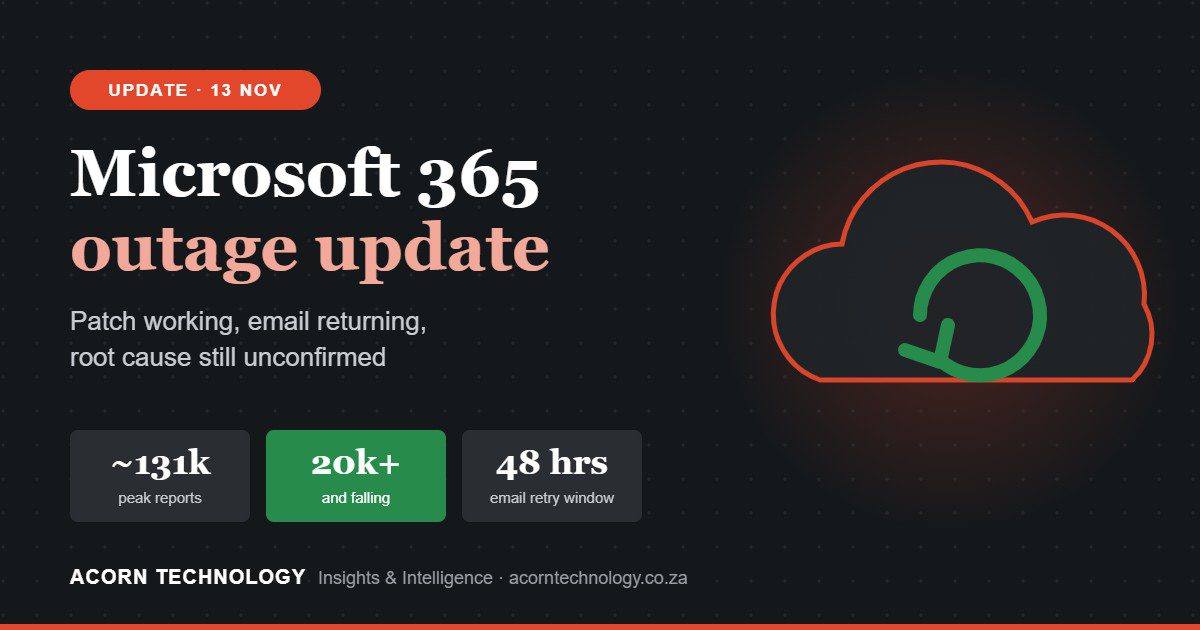

Many South African businesses started Friday 13 November without email. On Thursday evening, Microsoft 365 began failing worldwide, taking down Outlook, Teams scheduling, SharePoint, Copilot and parts of Microsoft’s own security stack.
This advisory explains what happened, why an outage like this happens, what it means for your security, and what business owners should do now and over the next quarter.
- What happened: Microsoft 365 failed worldwide from Thursday 12 November (18:17 SA time).
- Not a cyberattack: Microsoft has since confirmed a network fault. See the cause.
- Watch for scams: don’t click “restore your mailbox” or password-reset emails, and confirm payment changes by phone.
- The lesson: no single provider should be the single point of failure for your email, your data and your security.

The facts, at a glance
These facts come from Microsoft’s public status updates and independent reporting.
It started Thursday evening
Exchange Online users began losing mailbox access at about 18:17 SA time. Microsoft opened global incident MO1550821 two hours later.
It went global fast
Downdetector logged more than 120,000 Outlook problem reports at the peak, from 74 countries.
Ten-plus services fell together
Outlook, mail delivery, Teams calendars, SharePoint, Copilot, Graph, Planner, Intune, Purview and Power BI.
Security tools too
Defender XDR portals and Defender for Office 365 Safe Links were also affected.
Not a cyberattack
Microsoft found no malicious activity, and a senior Microsoft executive confirmed there was no breach.
Microsoft’s explanation, step by step
Following the explanation as it developed shows how complex cloud failures are.
- First: “elevated load”Microsoft soon corrected this. Traffic hadn’t risen; servers had dropped out, pushing work onto the rest.
- Next: failing health checksServers were failing automated health checks and being pulled out of service. Deployments were paused.
- Then: an overwhelmed processThe process that sets up secure (encrypted) connections was overloaded, so servers stopped handling requests.
- Overnight: reversing a changeMicrosoft began reversing a recent network configuration change and deliberately limited some traffic.
Why this could have happened
This section is our professional assessment, based on what Microsoft disclosed and on known patterns in large cloud outages.
A small change, a very large blast radius
Most major cloud outages are caused by changes, not attacks: a configuration push, a software update or a network change. Microsoft’s October 2025 Azure Front Door outage and its July 2026 disruption both traced back to configuration changes.
A change that looks harmless in testing can behave very differently across millions of live connections.

A failure that feeds on itself
Every Outlook or Teams connection starts with an encrypted “handshake” that uses a lot of processing power. When that process became the bottleneck, servers failed their health checks and were pulled out. Their traffic moved to neighbouring servers, which then slowed down and failed too. Engineers call this a cascading failure.
Restored servers “can become unresponsive again once they receive traffic.”Microsoft 365 status update, Friday 13 November
That is the thundering herd: millions of clients retry at once, every recovered server is flooded, and it falls over again. It is why Microsoft deliberately throttled traffic while it brought capacity back slowly.
One dependency, many services
The incident started in Exchange Online but spread to Teams, SharePoint, Copilot, Purview and even Defender. That tight integration makes Microsoft 365 productive, and it is also why one weak point can take many tools down together.
We review your Microsoft 365 resilience: independent backup, security monitoring that stays up when Microsoft is down, and a “cloud is down” plan.
Why this is a cybersecurity issue, even without an attack
Security isn’t only about keeping data secret. It is also about keeping systems available and trustworthy. This outage hit all three.
Your defences were degraded
Safe Links may not have checked URLs, and Defender XDR and Purview portals were partly down. If your protection runs on the platform that’s down, you lose it when you need it most.
DEFENDERSAFE LINKSCriminals move fast
Expect phishing and fake “Microsoft support” calls offering to “restore your mailbox”. Panic is the attacker’s best friend.
EMAILPHONEWell-meant mistakes create risk
Staff who reset passwords, rebuild Outlook or forward work to personal Gmail or WhatsApp can create POPIA problems that outlast the outage.
POPIAWhat to do in the next 48 hours
- Check, don’t guessUse Service Health in the Microsoft 365 admin centre, or status.cloud.microsoft. Track MO1550821 and EX1550543.
- Stop staff “fixing” itNo password resets, Outlook rebuilds, Office reinstalls or tenant changes. The fault is Microsoft’s.
- Send a phishing alert todayBy SMS or another channel outside Microsoft 365: Microsoft will not phone you.
- Use an approved backup channelTell clients and suppliers about delays from a channel you’ve agreed in advance.
- Freeze your own IT changesUntil service is stable, so any new problems are easy to trace.
- Expect a mail backlogRecheck payments, tenders and legal deadlines as delayed email arrives.
- Record the impactHours lost, missed deadlines, workarounds. Save Microsoft’s report: Service Health keeps only 30 days.

Building real resilience
Write a “cloud is down” playbook
Who declares an incident, which channel staff switch to, and how clients are told.
Diversify security tools
Email security, backup and monitoring that don’t depend on the platform they protect. A managed SOC outside Microsoft still sees threats.
Back up Microsoft 365 independently
Microsoft’s uptime promise is not a backup. Keep mailboxes, OneDrive and SharePoint reachable.
Alerts outside the platform
Send Service Health alerts to an address not hosted on Microsoft 365, and install the Admin app.
Map your dependencies
List which processes rely on Microsoft 365 (invoicing, approvals, AI tools) and give each a manual fallback.
Review contracts and SLAs
Know what service credits cover, and whether your insurance includes third-party cloud outages.
Test it
A one-hour tabletop: “It’s 09:00 on month-end and Outlook is down. What do we do?”
Microsoft remains one of the most resilient platforms in the world, and leaving it is not the answer for most businesses. Outages will happen again, to Microsoft, AWS, Google or anyone else. The businesses that cope best are the ones that planned before it happened.
Managed security and SOC services, independent Microsoft 365 backup, business continuity planning and incident tabletop exercises for South African businesses.
Sources: Microsoft 365 Status updates (incidents MO1550821, EX1550543); BleepingComputer; Cyber Security News; AzureBlog; Business Standard; IT-Connect; NBC News. Originally published on the morning of 13 November 2026; see our post-mortem for the confirmed cause. General guidance only, not a substitute for advice specific to your environment.